


Fandango: Movies & Series
4.445.60K Reviews
App Specs
- Version
- Varies with Device
- Updated On
- License
- Free
- Downloads
- 10,000,000+
- Developer
- Fandango Media
- Categories
- Entertainment
- Platform
- Android, iOS
Screenshots
 Analysis by AppCompare
When a household shares a screen, choosing what to watch can take longer than watching the film itself. I find a movie-store app most useful when it helps everyone browse, agree on a title, and then make a clear choice about whether to rent or buy it. Fandango at Home is an entertainment app from Fandango at Home, and its mix of discovery and individual movie and TV purchases suits households that want another way to find something for a planned movie night.
The important distinction is that this is not simply a promise of one subscription library where every title is ready to play. Its appeal includes browsing movies and shows and choosing titles to rent or purchase. That makes it a better fit for occasional picks, new releases, and a personal digital collection than for someone expecting one monthly plan to cover all viewing. I’d decide what kind of watching your household actually does before making it part of the routine.
A practical way to choose together
Picture a weeknight when everyone has a different suggestion and nobody wants to scroll through several streaming services. One person can search for a film, another can browse categories, and the group can compare options before settling on a title. In that situation, discovery tools and a watchlist can help turn vague “maybe later” ideas into a short set of candidates. The useful habit is to collect possibilities before movie night, rather than treating the app as a guarantee that a chosen film is included at no extra cost.
That distinction matters in a shared home. A title that looks right for a group may still need a rental or purchase decision, so I would check the individual title and its terms before anyone commits. If you are organizing a watch night around a specific film, confirm it is available in the way you expect and make the spending decision with the person responsible for the account. This small step avoids the awkward moment when the family has agreed on a film but not on paying for it.
Keep account and device boundaries clear
The app is free to install, but selected content can involve in-app purchases; the listed purchase amount reaches $99.99 per item. That is a reason to treat a shared device differently from a personal phone. Before handing it to a child or a guest, I’d make sure the account holder is the one handling any purchase decision, and I’d avoid assuming that browsing a title means it is free to play. This is a sensible boundary for any household using a digital storefront, especially when several people can reach the same screen.
Its watchlist and device syncing can be convenient when you move between screens, but shared access also raises a practical question: whose viewing history and preferences are shaping what appears? I would use a household account only if everyone is comfortable with that overlap. If people want separate recommendations, private viewing histories, or independent spending, separate accounts or a different service arrangement may be more suitable. The convenience of picking up a title on another device is not automatically worth blurring those boundaries.
Coordinate the viewing, not just the title
For a smooth movie night, I’d use the app in two stages: first browse and save likely choices, then make the final selection when everyone is together. That keeps the decision from becoming a long search session on the TV or phone. It also gives you a chance to check whether the title is a rental or purchase before the group settles in. If the household alternates who chooses, a shared shortlist can make that turn-taking feel fairer without requiring anyone to remember every suggestion.
Worth Reading Before You Choose

EA SPORTS FC Mobile 26 Is a Bigger Football Game, but It Takes Time

Flipboard Shows What News Apps Must Do Beyond the Feed

Switching to Android Auto Means Rethinking Your Driving Routine

Google Calendar Makes a Crowded Week Easier to Manage

Ludo King Makes the Most of the Minutes Between Plans

Baby Panda World Brings Quick Play to Modern Phones, but Its Game Library Feels Busy
Device syncing may help if one person discovers a film on a phone and the household later watches on another screen. Still, I wouldn’t assume that every title, account state, or playback option behaves identically across devices. For an important gathering, check the intended screen and the title beforehand rather than discovering a compatibility or sign-in snag after guests arrive. That is a modest bit of preparation, but it is more useful than relying on a last-minute search.
Age context and sensible expectations
The app is rated Teen, which is useful context for adults deciding whether it belongs on a family device, but it is not a substitute for checking the age suitability of an individual movie or show. A household should judge the actual title, not just the app category. The original experience describes parental controls, but I would still verify the settings available on the device and account before relying on them. For younger viewers, an adult choosing the content and managing access is a safer approach than leaving the storefront open as an unsupervised browsing space.
Fandango at Home has an average rating of 4.4 from around 214,000 ratings, with more than 10 million installs. Those figures suggest a widely used app, but popularity cannot tell you whether its rental-and-purchase approach matches your home. It is free to download, while individual in-app purchases can cost up to $99.99 per item, so the key question is not whether the app itself costs anything to install; it is whether the household is comfortable deciding and paying for titles one by one.
Your One-Stop Shop for Streaming
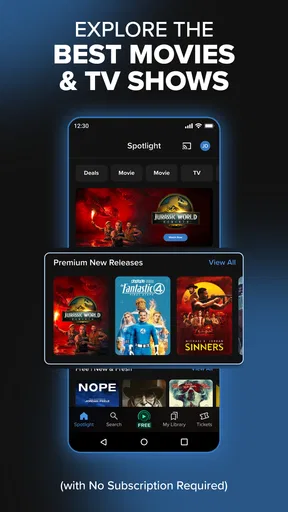
First things first, let’s talk about what makes Fandango at Home so darn special. This app is designed to simplify your streaming experience, acting as a central hub for all your movie and TV needs. Whether you’re in the mood for the latest blockbuster or a cozy TV series binge, this app has got you covered.
Discover and Explore
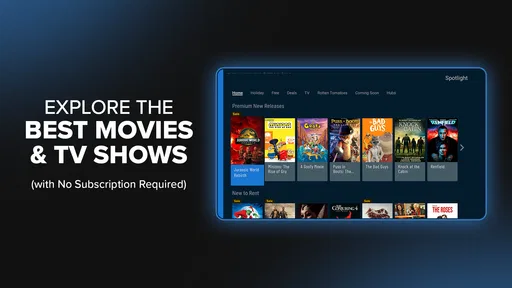
One of the coolest features is the discovery aspect. I was amazed at how intuitive the app is when it comes to recommending content. It’s like it knows me better than I know myself! You can scroll through a variety of categories, from new releases to curated collections like "Hidden Gems" or "Oscar Winners." It’s like having a personal curator who’s always ready with the perfect suggestion.
Easy Navigation
Now, I’ve used my fair share of streaming apps, and let me tell you, navigation can sometimes be a nightmare. But with Fandango at Home, the interface is super user-friendly. Whether you're a tech whiz or just getting the hang of apps, you’ll find it a breeze to use. Everything is right where you’d expect it to be, and the search functionality is spot on. You can filter by genre, rating, release year, and more.
Watchlists and Personalized Features
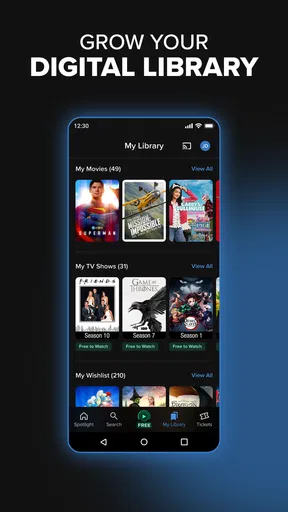
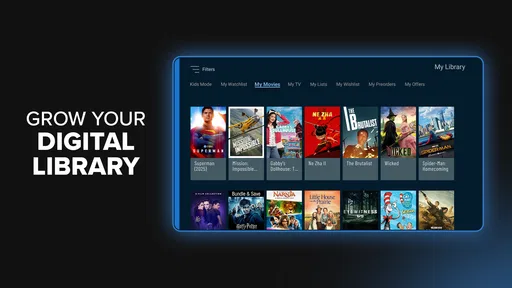
Creating a watchlist is a cinch, and it’s a lifesaver for those "I’ll watch that later" moments. Plus, the app syncs seamlessly across devices, so you can start a movie on your phone and finish it on your tablet. How cool is that? It also remembers your preferences and viewing history, so the more you use it, the better it gets at suggesting things you’ll love.
Rent or Buy
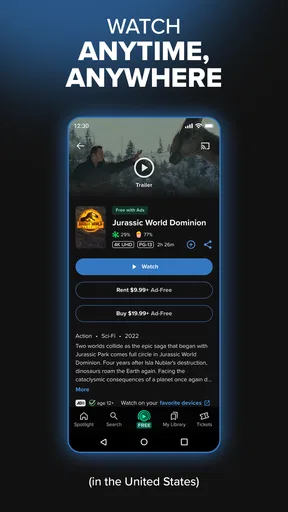
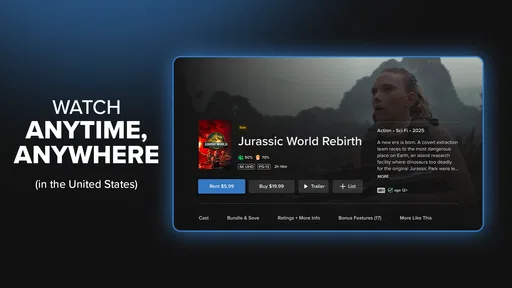
Fandango at Home offers a fantastic selection of titles available for rent or purchase. I was impressed by the range of options, from the latest hits to classic favorites. The pricing is competitive, and the quality is top-notch. Whether you’re looking to rent for a one-time watch or add a beloved movie to your permanent collection, the app makes it super easy.
Exclusive Content and Deals
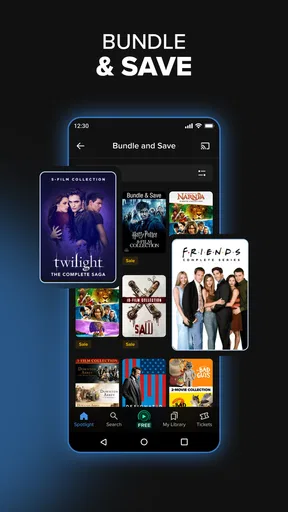
Keep an eye out for exclusive deals and discounts, which are plentiful. As a movie enthusiast, I love being able to snag a great deal on a film I’ve been dying to see. Plus, there are often unique offers for early access to new releases.
Seamless Streaming Experience
When it comes to streaming, quality is key, and Fandango at Home delivers. The playback is smooth, with no annoying buffering or lag. It supports HD and even 4K content, so you can truly enjoy a cinema-like experience from the comfort of your couch.
Family-Friendly Features
For those with kiddos, the app includes family-friendly features that allow you to set parental controls. This ensures a safe viewing environment and lets you relax knowing your little ones are only seeing what you want them to see.
Wrapping It Up
In a nutshell, Fandango at Home is a fantastic app for anyone who loves movies and TV shows. It’s convenient, comprehensive, and incredibly easy to use. Whether you’re looking to discover something new or revisit an old favorite, this app has everything you need to make your streaming experience enjoyable and hassle-free.
So, what are you waiting for? Dive into the world of endless entertainment with Fandango at Home. Trust me, you won’t regret it!
Where it fits among other viewing options
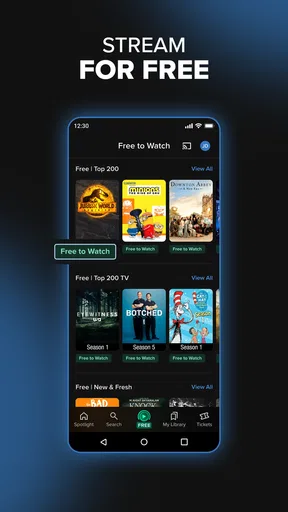
Compared with a subscription service, this approach puts more emphasis on selecting individual titles than browsing a single included library. That can work well when you want a particular film or prefer to keep a purchased title available in your collection, but it is less attractive if your household watches something new every night and wants predictable monthly costs. Compared with free, ad-supported viewing, paying for a specific title may mean fewer interruptions, but the choice comes with a direct cost rather than a free-to-watch catalog. I’d keep it alongside other services only if that flexibility solves a real need, not because another app automatically makes the household’s streaming setup better.
It is also worth thinking about how people search. Someone who already knows the film they want may find a storefront-style experience more direct than opening several subscription apps to check availability. Someone who wants a broad channel guide, live programming, or one universal catalog may be happier with a service built around those priorities. I see this app as most useful for deliberate picks, not as a complete replacement for every way a household watches television.
Small habits that prevent avoidable friction
A practical tip is to use the watchlist as a planning tool, not as a promise that every saved title is part of a subscription. Before movie night, open each candidate and check how it can be watched, then narrow the list to options the group is actually willing to rent or buy. If the decision involves a child, let an adult make the final selection and handle the account. This workflow makes the app’s browsing strengths useful while keeping the purchase step intentional.
Another trade-off is personalization. Recommendations can make discovery feel quicker, but they reflect the activity and preferences associated with the account. If several people share it, the suggestions may mix different tastes. I would not judge the recommendation quality after one household session; instead, use search and filters when the group needs a specific genre or release period, and treat suggestions as prompts rather than a definitive answer. That gives you a reliable route when personalization is less relevant.
Who is likely to enjoy it—and who may not
I’d recommend giving it a place on a household device if you often look for a particular movie, like keeping a shortlist, or want the option to rent a one-off pick without committing to another ongoing subscription. It can also suit people who enjoy browsing curated collections and are willing to check each title’s purchase terms before pressing play. The free installation makes it easy to explore, while the real value depends on whether its selection and buying model fit your habits.
I would skip it as a main viewing destination if you expect all titles to be included for one recurring fee, need strict separation between several household members, or want an adult-free browsing environment for young children. In those cases, a subscription service with a library that matches your tastes, a more clearly separated account setup, or direct adult supervision may be a better fit. My household verdict is that this is a useful extra for considered movie choices, not a universal answer to shared-screen viewing. Use it when its individual-title model is what you want, and keep the account holder involved whenever a rental or purchase is on the table.
Pros
- User-friendly interface enhances navigation.
- Wide selection of movies and TV shows.
- High-quality streaming with minimal buffering.
- Regular updates with the latest releases.
- Option to purchase or rent content easily.
Cons
- Requires stable internet for optimal use.
- Subscription costs can add up over time.
- Limited offline viewing options available.
- Occasional app crashes on older devices.
- Some features locked behind paywall.
FAQs for Fandango: Movies & Series
What is Fandango at Home: Movies & TV?
Fandango at Home: Movies & TV is a streaming service that allows users to rent or purchase the latest movies and TV shows directly from their devices. With a vast library of titles, it offers both new releases and classic films, providing a convenient way to enjoy entertainment at home.
How can I access my purchased content on Fandango at Home?
Once you've purchased or rented a movie or TV show on Fandango at Home, you can access it through the app on various devices like smartphones, tablets, and smart TVs. Simply log into your account and navigate to your library to start watching. It's designed for easy access across multiple platforms.
Is there a subscription fee for Fandango at Home?
Fandango at Home does not require a subscription fee. Instead, it operates on a pay-per-view model, where users can rent or buy individual titles. This allows for flexibility, as you only pay for the content you choose to watch without any recurring charges.
Can I watch movies offline with Fandango at Home?
Fandango at Home currently does not offer an offline viewing option. Streaming requires a stable internet connection to watch rented or purchased content. It's important to ensure you have reliable internet access to enjoy uninterrupted viewing of your favorite movies and TV shows.
What devices are compatible with Fandango at Home?
Fandango at Home is compatible with a wide range of devices, including Android and iOS smartphones and tablets, smart TVs, and certain streaming devices like Roku and Apple TV. This compatibility ensures that you can enjoy your purchased content on the device that best suits your viewing preferences.


